
LoadMaster Order Processing Overview – Aggregate vs Cement
A training-friendly guide built from an internal walkthrough. Use this document to understand what LoadMaster can show, what it cannot control, and how order lifecycle behavior changes across business lines.
1) Summary (What this guide teaches)
LoadMaster is not “one process.” The workflow depends on the order type and division: Aggregate orders behave very differently from Cement orders, and Flatbed is largely manual. Understanding those boundaries is the fastest way to route issues correctly and avoid chasing the wrong screen.
If the order is Aggregate, it may appear in LoadMaster already in Delivered status, with no dispatch activity required. In that scenario, there is nothing to “dispatch” in LoadMaster.
Many “it’s not dispatching” conversations happen because someone is looking at an Aggregate order and expecting a Cement-like dispatch flow. Aggregate does not follow the Available → Progress → Delivered lifecycle that dispatchers drive in LoadMaster.
2) Roles & Responsibilities (Who owns what)
Different teams own different segments of the end-to-end flow. Use the matrix below to route questions quickly.
| Area | Who to Contact | Why |
|---|---|---|
| Aggregate integration (SAP → Console → LoadMaster) | Alberto Castaneda | The console runs in the background, and Aggregate orders are transferred automatically. If you need “how the integration works,” route questions about the console to the owner. |
| Cement dispatch flow inside LoadMaster | Dispatch team | Cement orders are tendered from TMS and then worked by dispatchers (status changes, assignments). |
| TMS/Apex creation details (materials, bill/BOL creation) | Dispatch team | Apex/TMS specifics are best confirmed with dispatchers since they use those tools daily. |
| LoadMaster access requests (Order Entry visibility) | Transport Support (email + CEMEX ID) | Access may require sending CEMEX ID and an email request so leadership has visibility/approval. |
If your task is to support “tender didn’t come across to LoadMaster,” focus first on confirming where the failure occurred: (1) did the tender succeed upstream, and (2) did LoadMaster receive the record. This prevents spending time troubleshooting dispatch steps for an order that never arrived.
3) Systems at a Glance (What connects to what)
Keep this mental model while troubleshooting. It explains why certain data appears (or doesn’t) in certain screens.
SAP
Primary source for certain order types (notably Aggregate). Costs/rates may be created here and later reflected in LoadMaster via integration.
Console (background)
Transfers order data from SAP into LoadMaster. This runs “in the background,” so it’s not a manual dispatch screen.
LoadMaster
Operational view where Cement dispatchers change status and assign resources. Aggregate is typically already Delivered and used for billing/payment steps.
If you have access to a tender status/lookup page in TMS, use it as your first checkpoint when an order “isn’t showing in LoadMaster.” Your goal is to quickly confirm whether the tender was successful, failed, or is still pending—then route the next step to the right owner.
4) LoadMaster Order Types (The rules change here)
4.1 Aggregate Orders (Automated — no dispatcher workflow)
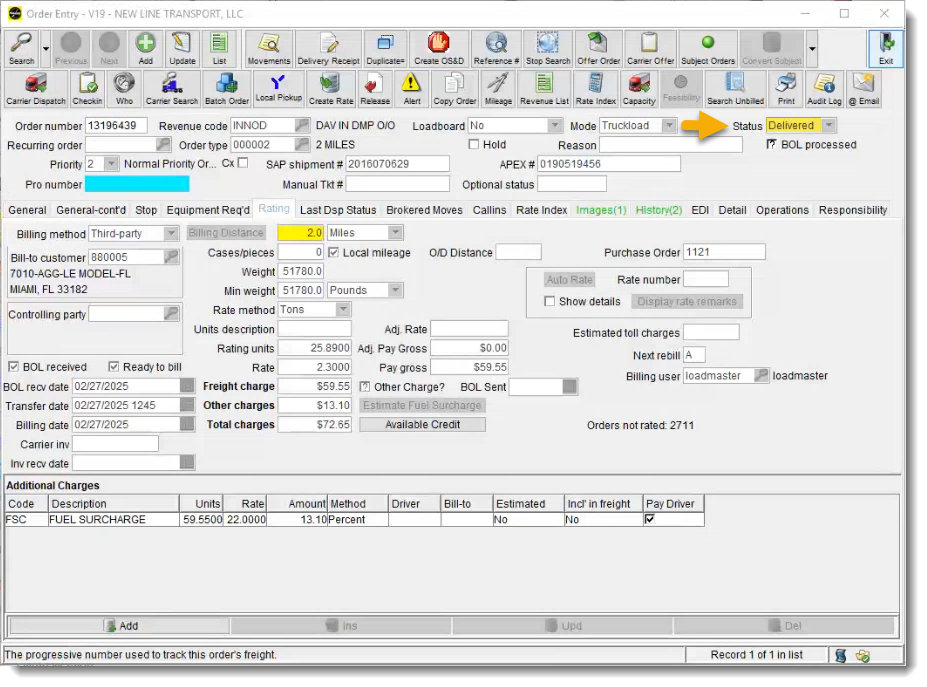
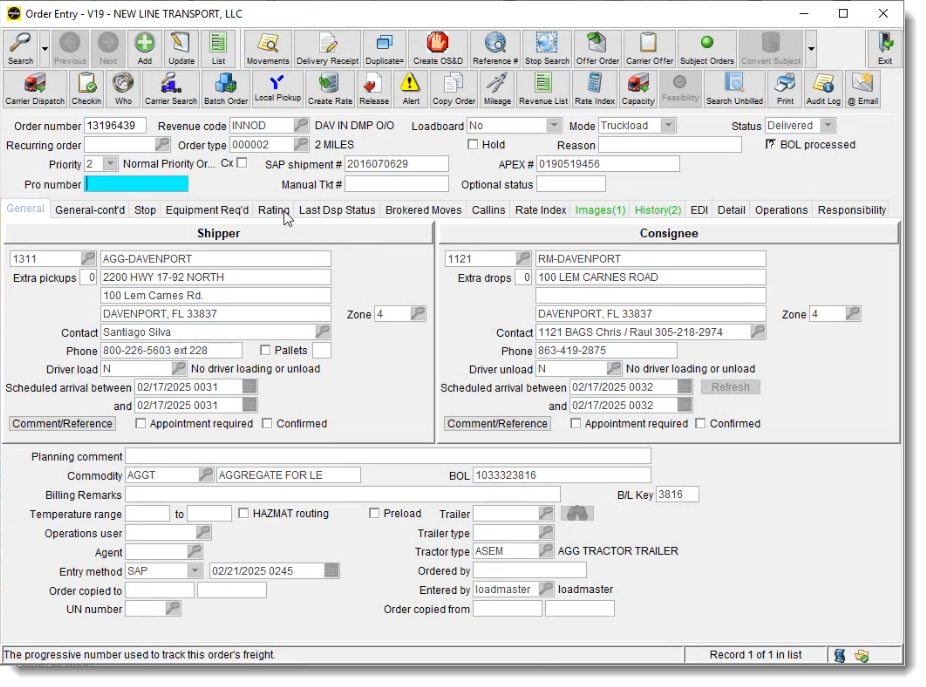
Aggregate orders are transferred automatically through integration. These orders may transfer into LoadMaster already in Delivered status, meaning there is no dispatcher step to move them through status changes.
For Aggregate, you typically cannot demonstrate an “Available → Progress → Delivered” workflow. The workflow is automated, and the order may arrive already delivered.
Some Aggregate orders may initially arrive without the rate. After costs are created in SAP and refreshed, the rate can be populated in LoadMaster through integration. This is not done manually in LoadMaster.
4.2 Cement Orders (Tendered from TMS — dispatcher-driven lifecycle)
Cement orders are created in TMS and then tendered into LoadMaster. When tendered, LoadMaster creates the order and it appears in an Available-type state. The dispatcher then performs assignments and dispatch actions.
Cement dispatchers change status and assign the driver/tractor, creating visible history in LoadMaster.
4.3 Flatbed (Context)
Flatbed orders are typically created manually, which makes “integration” issues less likely in the same way as Aggregate/Cement tenders.
5) Cement Dispatch Lifecycle in LoadMaster (Step-by-step)
This section is written like a training guide so new analysts can follow the flow and recognize what screen/state they are seeing.
Tender creates the order
Order is created in LoadMaster when tendered from TMS. This is the starting point in LoadMaster for Cement.
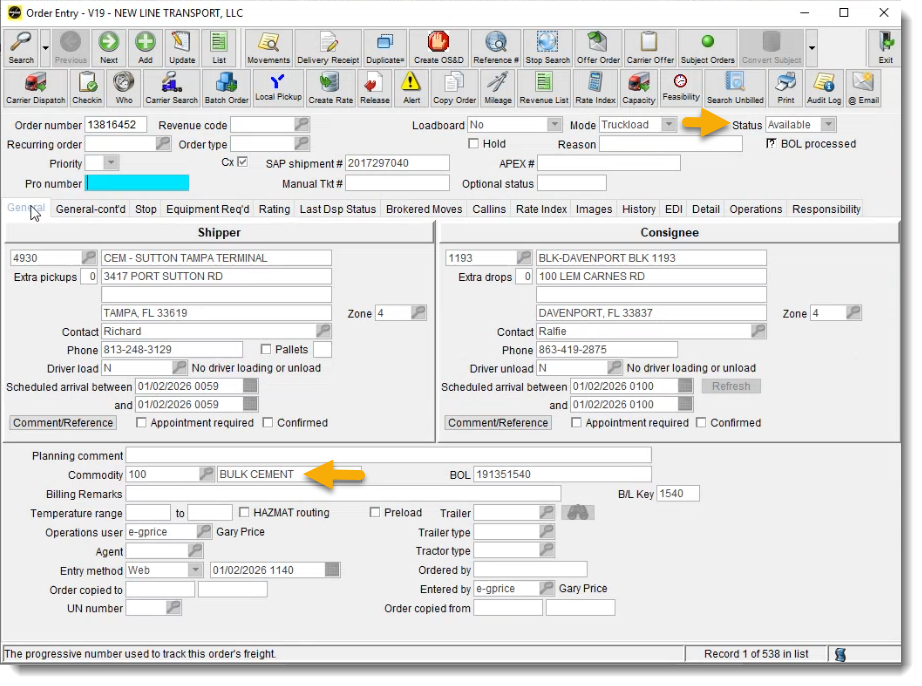
Order appears as Available
LoadMaster shows an Available state at receipt; later actions will change status and create history.
Dispatcher pre-assigns driver/tractor
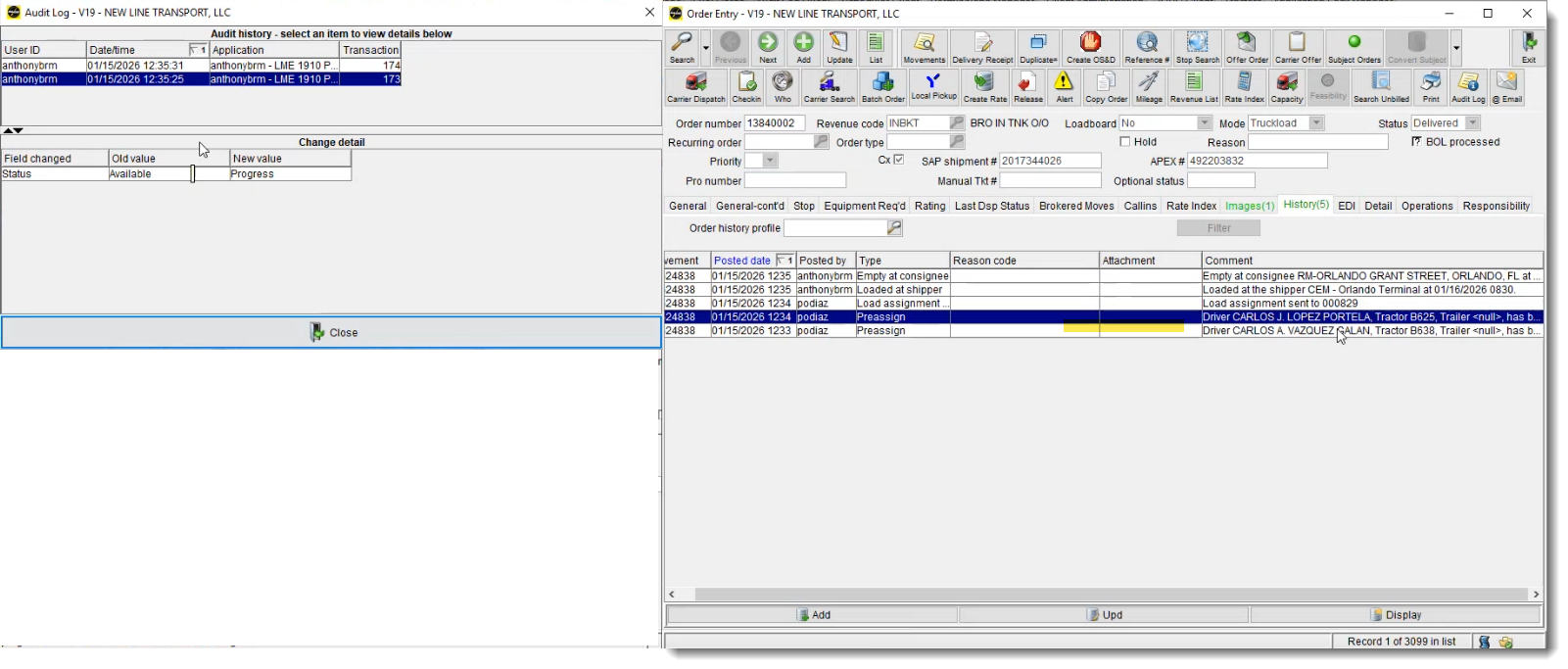
When resources are assigned, status changes from Available to Progress.
POD supports payment
POD/ticket signing and upload is used as proof of delivery for payment (common for owner-operators).
Dispatcher dispatches the order
Dispatch action updates status to Delivered. This is described as a manual step performed in the dispatch screen.
Order leaves Dispatch Window
Once delivered/dispatched, orders disappear from the dispatch window but remain in Order Entry permanently.
If a dispatcher says “I can’t find it anymore,” check whether it was already dispatched: the order can disappear from the dispatch window after delivery, while remaining in Order Entry.
6) Screens You’ll Use (and what they’re for)
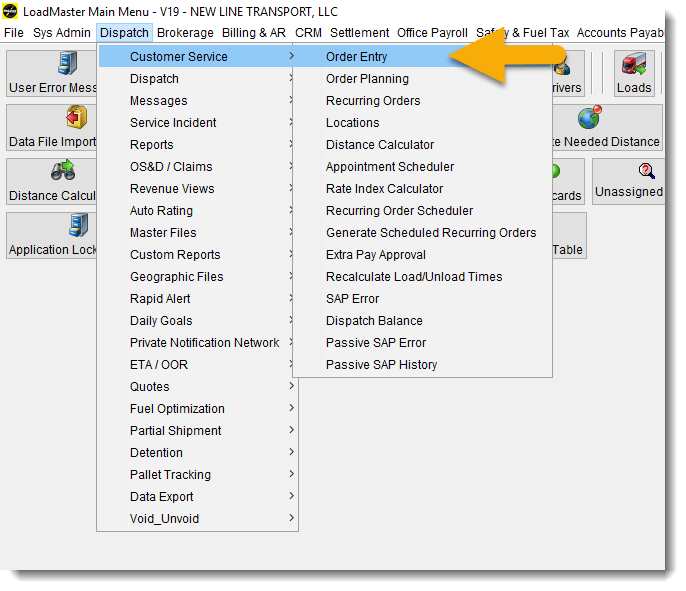
6.1 Navigation: Getting to Order Entry
Common menu path used during training: Dispatch → Customer Service → Order Entry.
If someone cannot see Order Entry, treat it as a role/permission issue. Collect the user ID and route through the normal access request process.
6.2 Dispatch Screen vs Order Entry
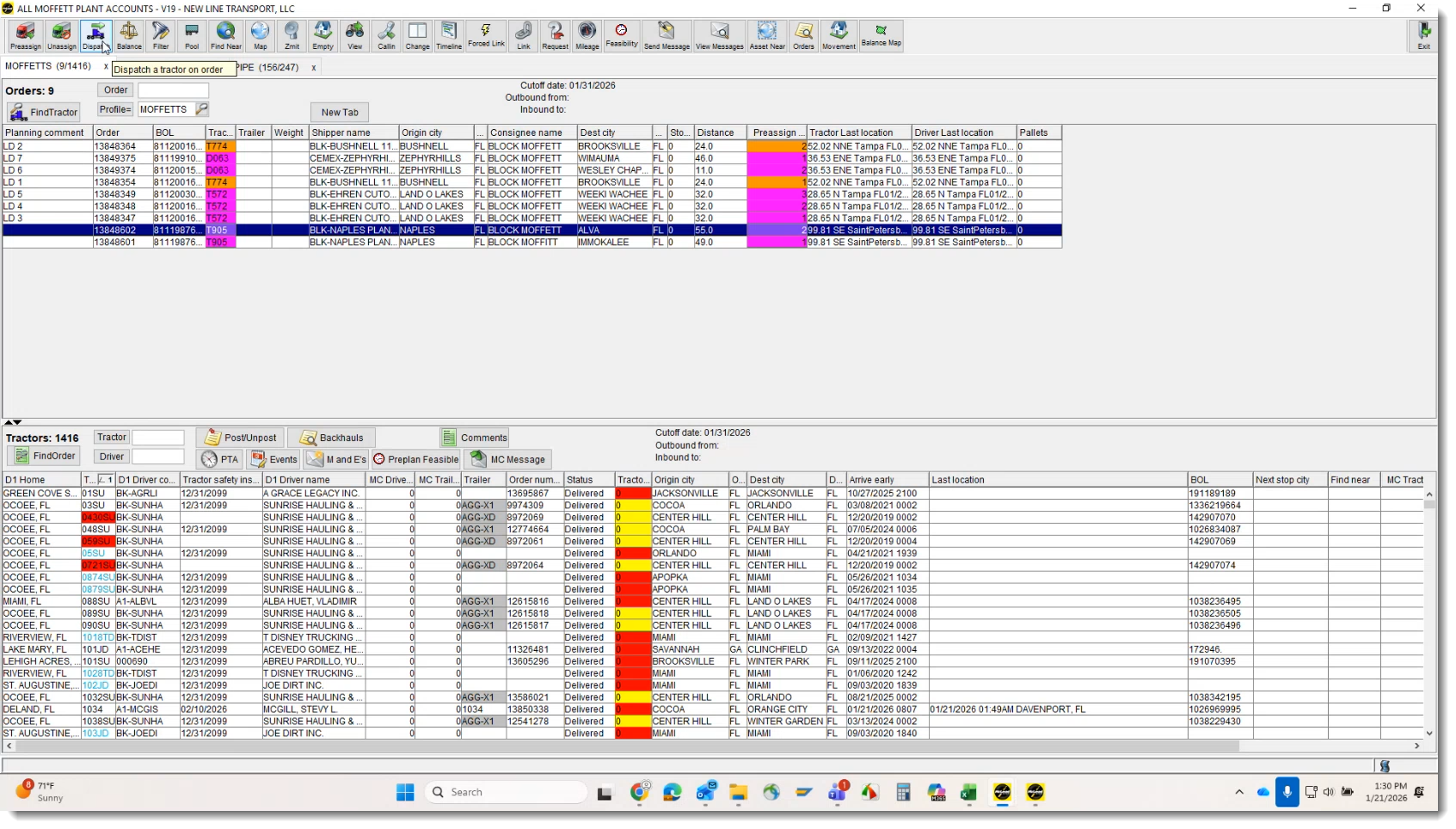
- Dispatch Screen: working queue — shows orders in Available/Progress. Used to assign and dispatch.
- Order Entry: permanent record — the order stays and retains history even after leaving dispatch queue.
7) Troubleshooting Playbook (Training-friendly)
Training approach: confirm whether the tender was successful before assuming LoadMaster is missing it. If the tender failed upstream, LoadMaster may have nothing to display.
7.1 Quick Triage Checklist
- Identify the order type: Aggregate vs Cement vs Flatbed.
- If Cement: confirm the order exists (Available), then verify dispatcher assignment and dispatch actions.
- If Aggregate: confirm whether Delivered status is expected and whether the question is actually integration-related.
- Validate tender status: use available TMS lookup tools to check success/failure and reason.
If you need exact Apex/TMS steps (how orders are created, materials selected, etc.), confirm with a dispatcher to avoid misinformation.
7.2 Escalation Guidance (When you’re stuck)
- Aggregate integration details: route to the SAP/console integration owner.
- Cement creation/material selection in TMS/Apex: route to dispatch team.
- LoadMaster access / Order Entry visibility: request via Transport Support email with CEMEX ID.
8) Access & Training Environment Notes
Production orders show real-world behavior. Dev data may look different because it includes test orders and incomplete flows.
Collect the requester’s CEMEX ID and request email confirmation for visibility/approval before access changes are applied.
9) Screenshots from Training Session
The screenshots below were captured directly from the training recording and align with the order in which Juliana explains each concept.
SCR-01 — Aggregate Order Displayed as Delivered in LoadMaster
Order Entry view showing the order already in Delivered status.
SCR-02 — Aggregate Order Context (Delivered by Design)
Highlights why Aggregate orders do not follow the dispatch lifecycle.
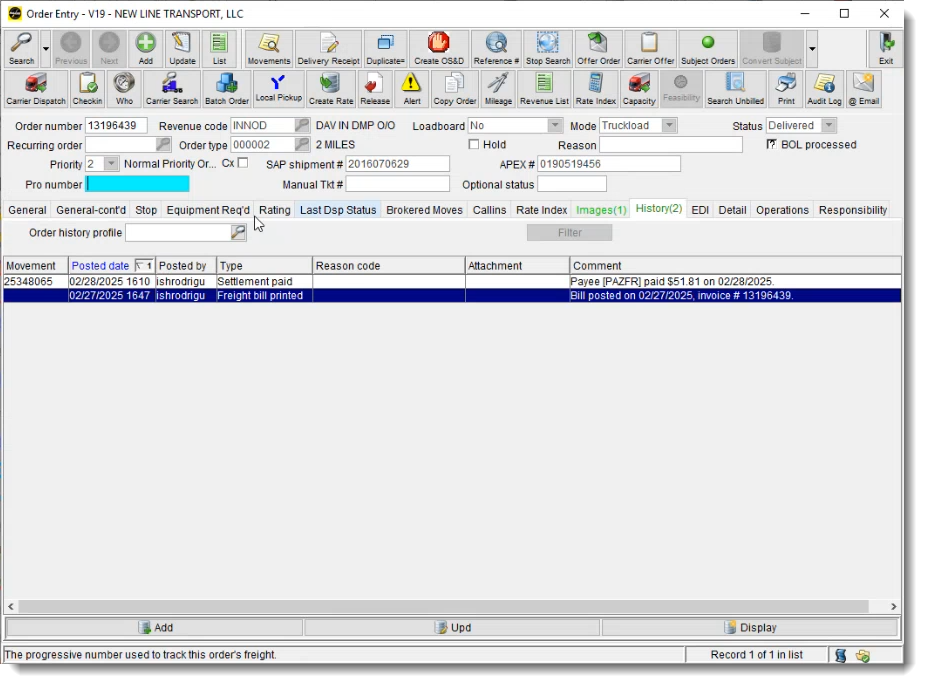
SCR-03 — Aggregate Order Automation via SAP Console
Explains SAP → Console → LoadMaster automation.
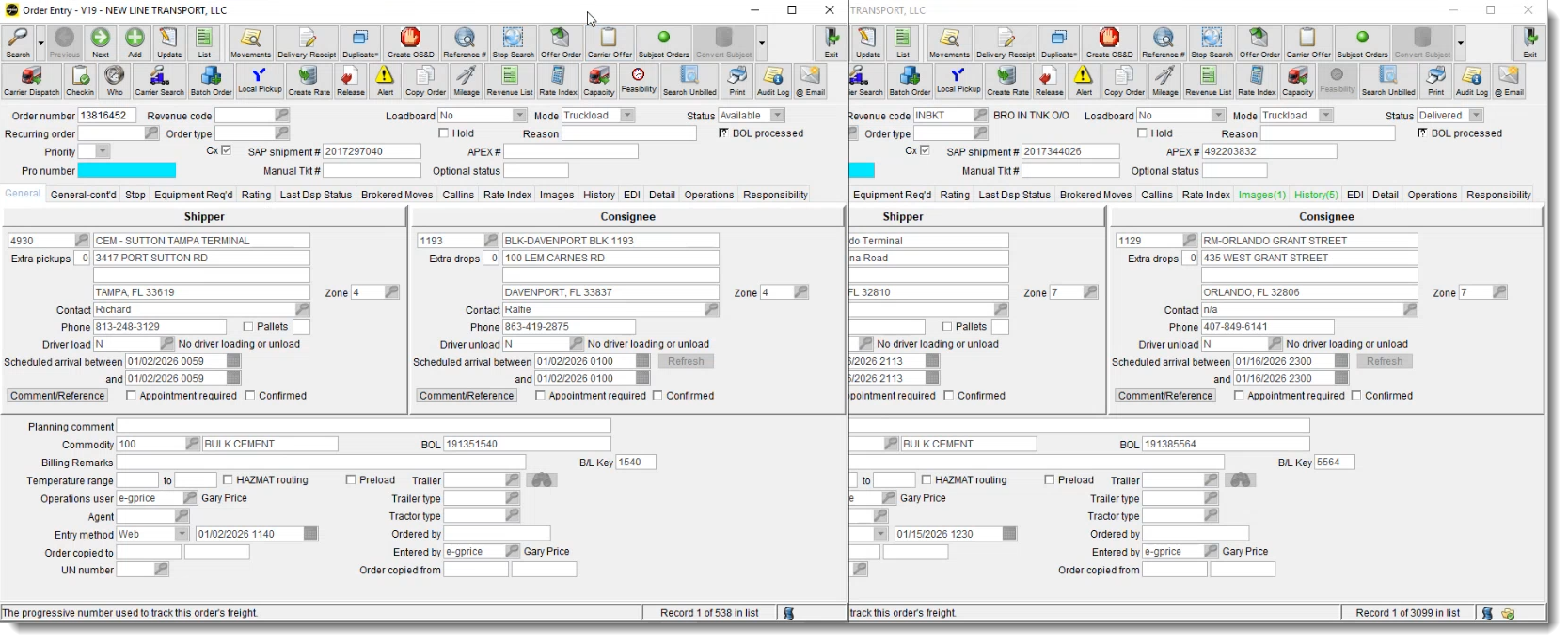
SCR-04 — Cement Order Shown as Available
First appearance of a Cement order before dispatcher action.
SCR-05 — Cement Order Delivered (History View)
Shows Delivered status with history/autolog entries.
SCR-06 — Dispatch Screen (Active Orders Only)
Dispatch screen showing Available and In Progress orders.
SCR-07 — Dispatching a Cement Order (Assign Tractor and Deliver)
Dispatcher assigns tractor and completes dispatch.
SCR-08 — Order Tendered from TMS
Order tendered in TMS before appearing in LoadMaster.
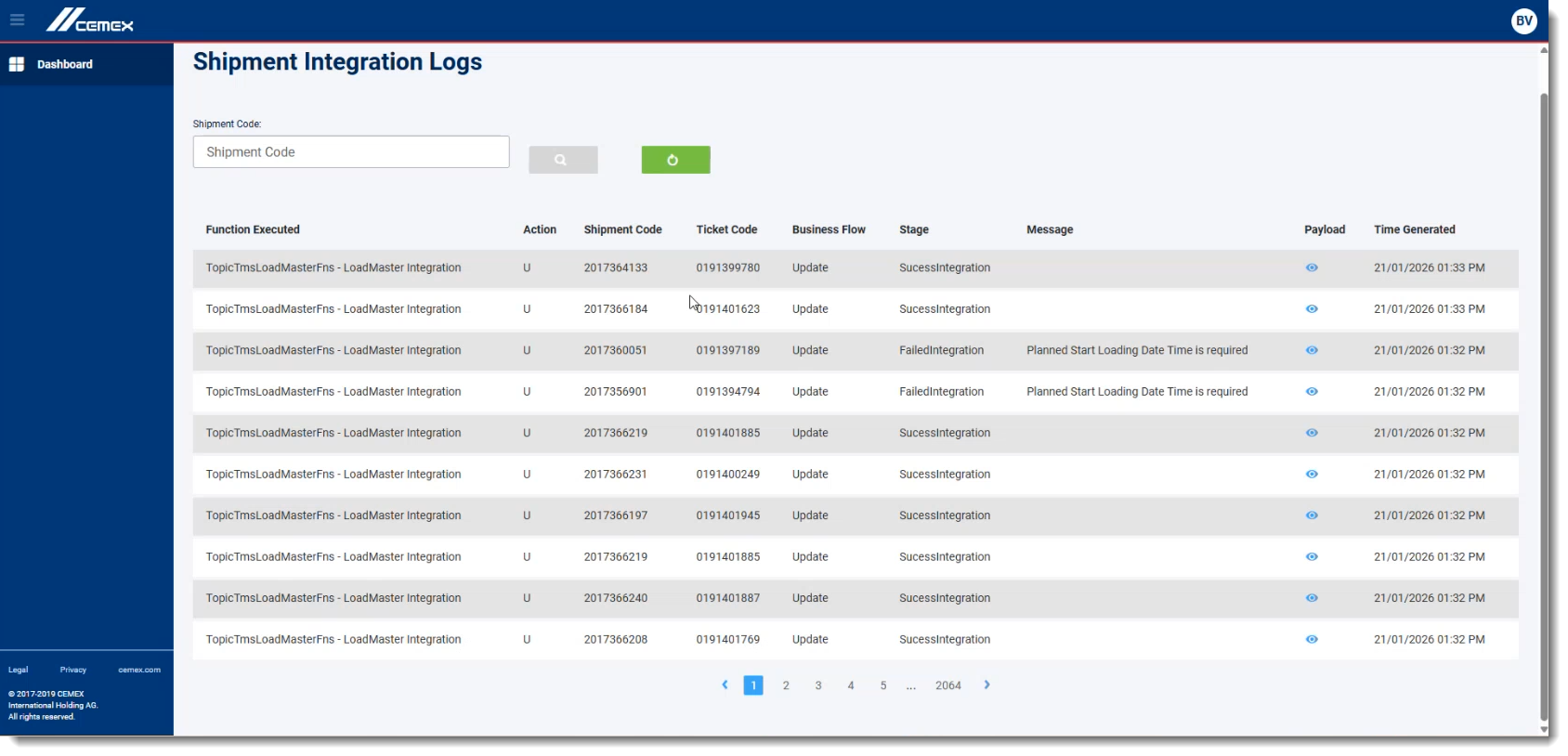
SCR-09 — TMS Tender Status Lookup (Verification Only)
Used only to verify tender success or failure.
10) Appendix: Quick “If/Then” Guide (for new analysts)
Expect it may be already Delivered. If the question becomes “how the integration works,” route to the SAP/console integration owner.
Look for the Available state created from tender, then confirm dispatcher assignment and dispatch actions move it forward.
Validate tender status upstream before treating it as a LoadMaster issue. If the tender failed, LoadMaster may not receive anything.
On this page
1) Purpose + key takeaway 2) Roles & ResponsibilitiesWho owns what 3) Systems at a GlanceSAP / Console / LoadMaster 4) Order TypesAggregate / Cement / Flatbed 5) Cement LifecycleSteps + statuses 6) ScreensOrder Entry + Dispatch 7) TroubleshootingTender not showing 8) Access & Training NotesProd vs Dev 9) Screenshot PlaceholdersExact titles 10) AppendixIf/Then guideFor onboarding: read sections 3–6 first (mental model + screens), then use section 7 as your day-to-day triage checklist.